Service
Commercial Access Control Systems Installation
For general contractors, owners and property managers, agency facilities staff and IT directors who need doors, elevators and gates controlled by credentials instead of keys. We design and install the readers, controllers, credentials, power supplies, cabling and software, and we coordinate the electrified door hardware with the hardware installer so every door works as one system.
No obligation, and we will say so if the work is outside our license.
- ButterflyMX
- DoorKing
- Brivo
- Verkada
- Avigilon Alta
We are not tied to any brand. If your drawings call for something else, we install to the specification.
What we install and how the door hardware handoff works#
Telelink Business Services is a licensed C-7 Low Voltage Systems Contractor, CSLB License #472017. We design and install electronic access control for multifamily and senior housing, government facilities, campuses, offices and industrial buildings across California. Our scope includes the controllers, readers, credentials, power supplies, door position switches, request-to-exit devices, cabling, software configuration, user training, and the integration with cameras and intercom. We installed access control on occupied renovations at Little Tokyo Towers in Los Angeles and Horton House in San Diego, where entry doors, amenity spaces and back-of-house doors were secured while the buildings stayed fully occupied.
We carry every low voltage part of the opening: the reader, the cabling, the door position switch, the request-to-exit device, the power supply and the controller connection. The electrified hardware on the door itself, electric strikes, magnetic locks, electrified mortise and panic hardware, closers and automatic operators, comes from the GC’s Division 08 door hardware scope or a licensed C-28 Lock and Security Equipment contractor. We coordinate the hardware schedule, specify the voltage and wire count each device needs, land the wiring, and test the door as a complete system with that installer. On our submittals the handoff at the door is drawn, not implied, which is what a GC’s PM needs to close a scope gap before it becomes a change order.
Two platforms we install and configure directly: ButterflyMX for multifamily smart access, and DoorKing (DKS) for telephone entry, gate and vehicular access, and its access controllers. Brivo, Verkada, Avigilon Alta and Ubiquiti UniFi Access are commonly specified cloud platforms we install to the specification.
Credentials: cards, fobs, mobile, and why 125 kHz prox is a liability#
The credential is the part of the system your people touch every day, and it is the part most often specified by habit. Three types cover almost every commercial project.
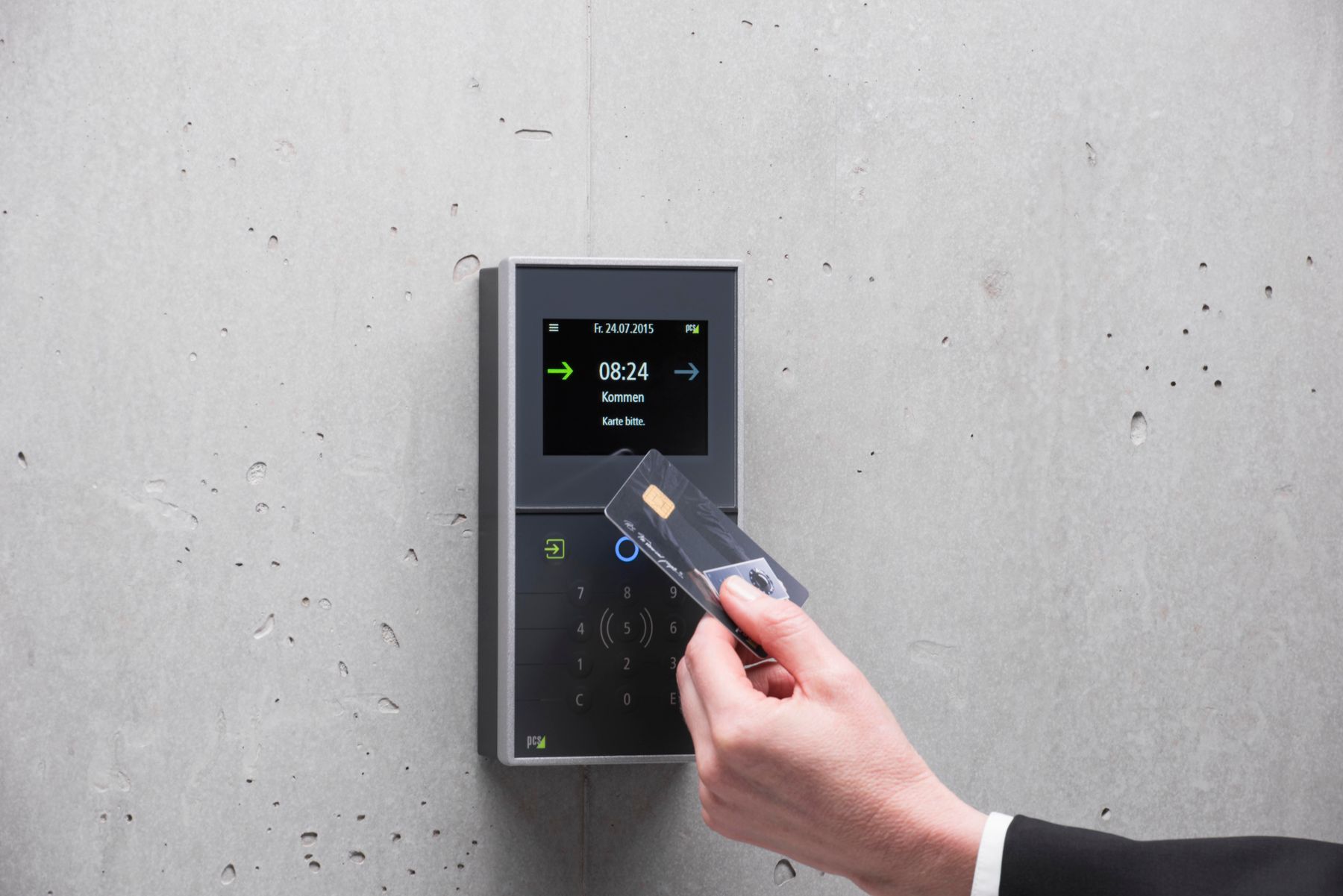
125 kHz proximity cards and fobs. The technology most buildings already have. The card broadcasts a fixed number with no encryption, and it can be copied in seconds by a kiosk at a hardware store. We will reuse prox during a migration so tenants and staff are never locked out, and we recommend against it as the end state.
13.56 MHz smart cards and fobs. The secure families in this band, DESFire EV2 and EV3 and Seos among them, authenticate the card to the reader with a key rather than handing over a number, so a cloned serial does not open the door. The protection comes from the credential family and from reading the secure sector rather than the card serial number, not from the frequency itself. This is the default credential we specify for new systems. Most readers can be ordered to read both frequencies, which is what makes a phased migration practical.
Mobile credentials. A phone acts as the credential over Bluetooth or NFC. Nothing to print, nothing to collect when someone leaves, and revocation happens from the management console. The tradeoffs are per user licensing on most platforms, and the practical reality that some tenants and staff will not want an app. We plan every mobile system with a card or fob fallback.
PIN keypads add a second factor at sensitive doors such as telecom rooms, pharmacy storage, and cash handling. In multifamily, the credential lifecycle matters as much as the technology: turnover means credentials are issued, revoked and reissued constantly, so the platform’s directory tools and the property manager’s workflow are part of the design.
Readers, controllers, and cloud vs on-premise platforms#
A reader at the door talks to a controller. The controller makes the decision to unlock and drives the hardware. Where the decision logic and the database live is the cloud versus on-premise question, and it changes the budget, the IT burden, and who can administer the system from where.
| Cloud-managed | On-premise | |
|---|---|---|
| Where the software runs | Vendor’s hosted platform | Server in your telecom room |
| Administration | Browser or app from anywhere | Workstation, or VPN into the site |
| Recurring cost | Per door or per user subscription | Support agreement, often no per door fee |
| Updates | Vendor pushes them | Your IT staff schedules them |
| Internet outage | Doors keep working on cached rules; changes wait | No dependency |
| Fits | Multi-site owners, small IT teams, housing portfolios | Agencies with data residency rules, campuses with security staff |
Brivo, Verkada, Avigilon Alta, UniFi Access and ButterflyMX are cloud-managed. Traditional on-premise systems use panel controllers in the telecom room with a server the owner maintains. Our guide to cloud vs on-premise access control covers the tradeoffs in detail, including what happens to a cloud system when the vendor changes its pricing.
Whichever platform you choose, we specify controllers and power supplies listed to UL 294, the standard for access control system units, because many specifications and plan checkers require it and because listed power supplies with supervised battery backup are what keep doors behaving correctly through a power event.
Door position, request-to-exit, and fail-safe vs fail-secure#
Every controlled door gets more than a reader. A door position switch tells the controller whether the door is open or closed, which is how the system reports a door forced open or held open too long. A request-to-exit device, either a motion sensor above the door on the secure side or a push button, tells the controller that the person leaving is authorized to open the door, so the exit does not register as a forced entry. Without both, the system cannot tell the difference between a tenant leaving and an intruder entering.
Locking hardware behaves one of two ways when power fails, and the choice is a life safety decision made with the architect and the hardware consultant:
- Fail-safe hardware unlocks when power is lost. Magnetic locks are inherently fail-safe. They are common at lobby doors and where the building code requires the door to release on fire alarm activation.
- Fail-secure hardware stays locked from the outside when power is lost. Most electric strikes work this way. The lever on the inside still opens the door, so egress is never blocked.
Free egress from the inside is required at all times regardless of which hardware is used. Maglocks in particular need a request-to-exit sensor, a push-to-exit button, and, where the code requires it, a release on fire alarm activation. The release interface is provided by the project’s fire alarm contractor. We land it at our controller and test every affected opening with them before the fire marshal walks the building.
Elevators, visitors, and integration with video and intercom#
Elevator control puts a reader in the cab and lets the controller enable or disable floor buttons by credential and schedule, so a tenant on the eighth floor cannot ride to the fourth. We provide the reader, the controller, the relay outputs and the cabling to the interface point at the machine room or hoistway demarcation. Installation of the reader in the car and the connection at the elevator controller are performed by the elevator contractor’s Certified Competent Conveyance Mechanic, because work on the elevator itself is regulated under California Labor Code Section 7311.2. Buildings with destination dispatch elevators need a different integration and are scoped individually.
Visitor management ranges from a front desk issuing temporary cards to a cloud platform sending a time-limited mobile pass to a contractor’s phone. In multifamily, the video intercom and entry system handles most visitor traffic at the lobby door, and the access control platform handles the tenant credentials behind it. On ButterflyMX properties the two are one platform.
Integration with video is configured, not assumed. The camera system receives door events from the access control platform, so a forced door alarm shows the clip beside it, and an operator can search video by badge event rather than by scrolling a timeline. We test each integration door by door and show the result in the closeout.
What drives the cost of an access control project#
Per door pricing is a starting point, not a quote. As a California commercial planning range as of 2026, the access control side of a standard interior or exterior door runs roughly $2,000 to $6,000, with electrified hardware, cloud licensing, and any elevator or gate work on top. The variables that move the number:
- Whether the door already has electrified hardware, or needs a new strike, maglock, or electrified lever and the frame work to fit it
- Cable distance from the door to the controller, and whether the path is open ceiling, hard lid, or conduit
- Cloud subscription per door or per user, or a server and support agreement for on-premise
- Credential type and count: mobile licensing, smart cards, or reusing prox during a migration
- Elevators, vehicle gates, and turnstiles, each with its own interface and coordination
- Integration with intercom and video, and whether the platforms are the same vendor
- Prevailing wage on public work, which affects labor on every door
Our access control installation cost guide breaks these down per door and per site with examples for a small office, a multifamily property, and an agency building.
How we phase access control in an occupied building#
An occupied multifamily or senior housing renovation cannot lose its entry security for an afternoon. Our sequence keeps the existing system live until the new one is proven:
- Survey every controlled opening, record the existing hardware and cabling, and test what can be reused.
- Install new controllers and power supplies in the telecom room and run new cabling to each door without disturbing the working system.
- Mount new readers alongside the old ones, or use dual-frequency readers, so old credentials keep working.
- Issue new credentials through property management with written notices and a help desk window for tenants and staff.
- Cut over door by door, test each opening with the hardware installer, and remove the old equipment only after the door is confirmed.
- Deliver the door schedule, as-builts, controller programming, and administrator training.
Little Tokyo Towers and Horton House both received access control with the buildings fully occupied, and this is the sequence we bring to that kind of job. The same sequence applies to an agency floor that has to stay open to the public during a tenant improvement.
Next step#
Send us the door schedule or the floor plan with controlled openings marked, the credential type you want to end up with, and any elevator or gate scope. Use request a bid to upload drawings and we will return a per door bid with the hardware handoff drawn. General contractors can start at for general contractors for our prequalification packet and Division 28 scope letter.
FAQ
Questions about access control
Do you install the electric strikes and maglocks?
We specify the voltage and wire count each device needs, run the cabling, land it, and test the door together with the hardware installer so the finished opening is one working system. The electrified hardware itself comes from the GC's Division 08 hardware scope or a licensed lock and security equipment contractor, and the hardware schedule tells us which device is going on each opening before we pull wire.
Link to this answerCloud or on-premise: which should we choose?
Cloud platforms trade a per door subscription for no server to maintain and administration from a browser, which suits owners with multiple sites and small IT staffs. On-premise systems put the server and database in your telecom room, with no recurring license in many cases, and suit agencies with strict data residency rules or an IT department that wants full control. Our guide compares them in detail.
Link to this answerWhat does access control cost per door?
As a California commercial planning range as of 2026, roughly $2,000 to $6,000 per door for the access control side of a standard door, before electrified hardware, cloud licensing, and any elevator or gate work. Cable distance, whether the door already has electrified hardware, and the controller architecture move the number more than the reader brand.
Link to this answerCan our existing 125 kHz prox cards keep working?
Most readers can be ordered to read both 125 kHz prox and 13.56 MHz smart credentials, so a migration can run in parallel while new credentials are issued. We recommend against keeping prox as the long-term credential because it is easily cloned with inexpensive tools.
Link to this answerDo you handle elevator floor control?
Yes, up to the interface point. We provide the reader, the controller, the relay outputs that enable or disable floor buttons, and the cabling to the interface point at the machine room or hoistway demarcation. Installation inside the car is performed by the elevator contractor's Certified Competent Conveyance Mechanic, because work on the elevator itself is regulated under California Labor Code Section 7311.2. Destination dispatch systems need a different integration and are scoped case by case.
Link to this answerWhat happens to the doors when the power fails?
It depends on the hardware. Fail-safe locks such as maglocks release on power loss; fail-secure devices such as most electric strikes stay locked from the outside but always allow free exit from the inside. We size battery backup on the access control power supplies so the system rides through short outages, and we document which behavior each door has.
Link to this answerQuestion not answered here? Ask a person who does this work.
Call (916) 340-7503Email usOr send drawings to bidReviews
What clients have said
Excerpts from reviews clients left on Google over roughly the last ten years. Most of them describe phone, cabling, camera and service work rather than large construction projects, which is a fair picture of who was writing reviews at the time.
We needed help updating our security system and they were very thorough in explaining the process to me. Very reliable when it came to scheduling and pricing. We will definitely continue working with Telelink.
Gabriela LueraUpgrade to an existing security systemThese guys handled my phone and phone system move along with wire our new office from top to bottom. When all others failed, such as AT&T, Telelink was there to pick up the pieces. Most important out of all the great things I could say, they took all my calls and emails, no matter what time of day or night, even on the weekend and holidays. They know what they are doing and get it done right the first time.
U.S. Certified SignersOffice move: phone system relocation and a full office cabling installationI had an issue with my cameras and called for help. He was able to get me on the schedule within the week. They came out, diagnosed the problem, and fixed everything within a couple hours. Very professional, affordable, and fast.
Evan KorisService call on an existing camera system
Reviews are reproduced as written, trimmed only where an excerpt is marked with an ellipsis. Have we worked for you? Tell us how it went.
Planning a access control project? Let’s talk.
Send over a drawing set or just describe what you need. We will tell you what we can take on, what to plan for, and how soon we can be there.