The short answer
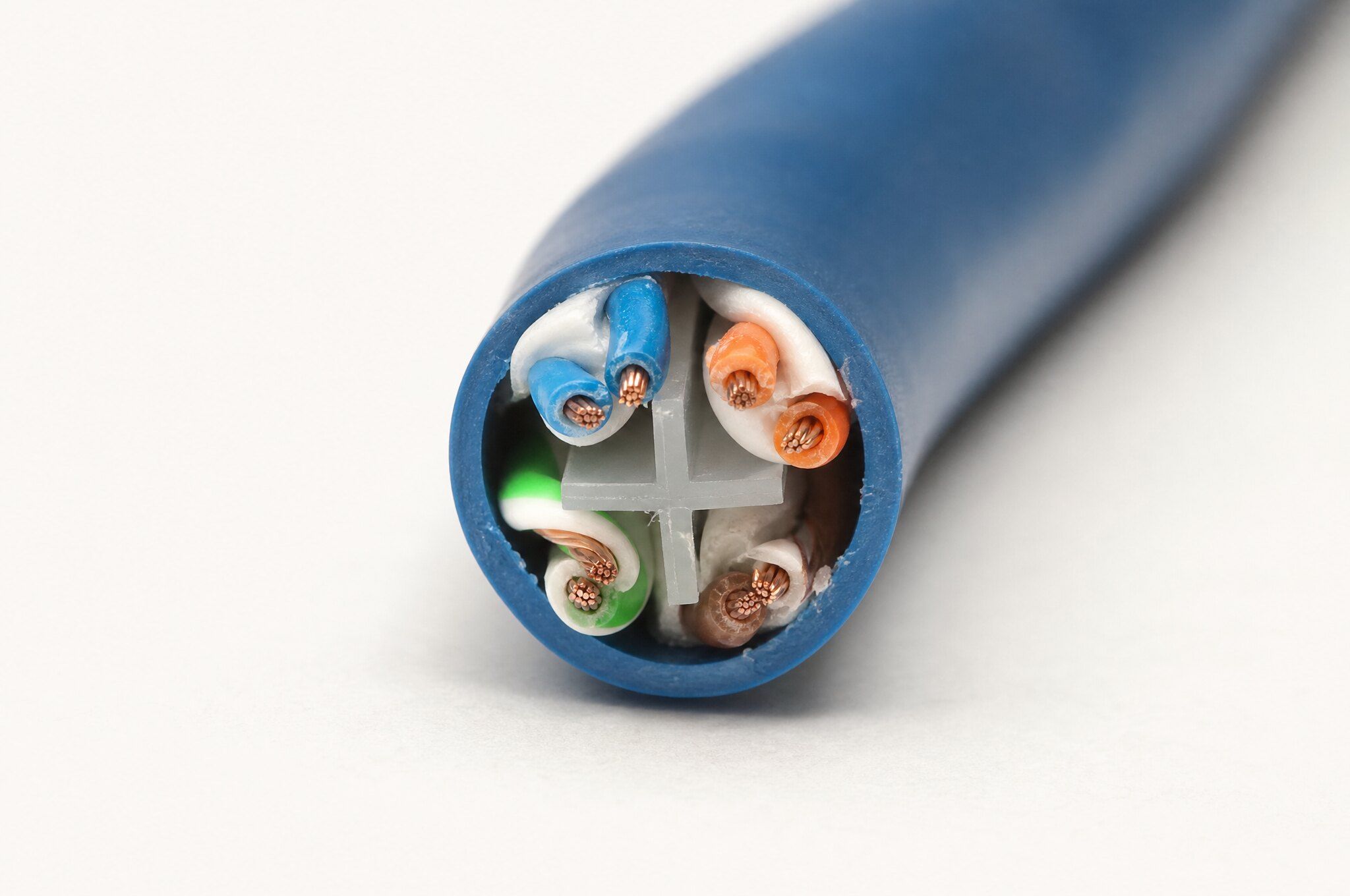
Cat6 is specified to 250 MHz and carries 10GBASE-T only on short runs, roughly 37 to 55 m depending on alien crosstalk, while Cat6A is specified to 500 MHz and carries 10GBASE-T over the full 100 m channel. Both carry 1, 2.5 and 5 Gb/s Ethernet to 100 m. Cat6A is the better choice for wireless access point drops, high-power PoE bundles and long runs; Cat6 remains appropriate for desks, cameras, phones and door hardware where pathways are tight and the endpoints are 1 Gb/s devices.
| Cat6 bandwidth | 250 MHz per ANSI/TIA-568.2-E |
|---|---|
| Cat6A bandwidth | 500 MHz per ANSI/TIA-568.2-E |
| 10GBASE-T reach | Cat6 about 37 to 55 m; Cat6A full 100 m |
| Multigig (2.5G/5G) | 100 m on both categories |
| PoE guidance | IEEE 802.3bt; TIA TSB-184-A bundle limits |
| License | CSLB #472017, C-7 Low Voltage Systems |
When Cat6A is the right call and when it is not#
Cat6A is the safer specification for any building that will be occupied for more than a few years and will carry Wi-Fi 6E or Wi-Fi 7 access points, high-power PoE, or 10 Gb/s to the desk. Cat6 is the correct specification when the budget is fixed, the pathways are tight, the runs are short, the endpoints are 1 Gb/s devices, or the building is a rehab where the cable will be replaced with the next renovation anyway.
That is the framework. The rest of this article gives you the numbers behind it so you can defend the choice to an owner, a plan checker or a value engineering meeting. Both categories are defined in ANSI/TIA-568.2-E, and both are installed, terminated and certified the same way. The difference is bandwidth, reach at 10 Gb/s, physical size, thermal behavior, and cost.
Cat6 vs Cat6A side by side#
| Parameter | Cat6 | Cat6A |
|---|---|---|
| Specified bandwidth | 250 MHz | 500 MHz |
| 1000BASE-T (1 Gb/s) | 100 m channel | 100 m channel |
| 2.5GBASE-T and 5GBASE-T | 100 m channel | 100 m channel |
| 10GBASE-T | Short runs only, roughly 37 to 55 m depending on alien crosstalk | Full 100 m channel |
| Conductor gauge (typical) | 23 or 24 AWG | 23 AWG, some 22 AWG |
| Cable outside diameter (typical UTP) | About 0.22 to 0.25 in. | About 0.28 to 0.35 in. |
| Minimum bend radius (UTP) | 4 times cable OD | 4 times cable OD, so larger in absolute terms |
| Pathway fill | Baseline | Roughly half the cable count in the same conduit |
| PoE 802.3bt Type 3/4 in bundles | Runs warmer; keep bundles small | Larger conductors dissipate heat better |
| Alien crosstalk | Not specified | Specified and tested |
| Field tester accuracy | Level III | Level IIIe |
| Relative installed cost | Baseline | Higher in material and labor; see below |
The diameter figures vary by manufacturer and construction. Shielded Cat6A (F/UTP) is often smaller than unshielded Cat6A because the foil does the alien crosstalk work that a larger pair separator does in UTP. Take the diameter from the submitted cable’s data sheet, not from a category average, when you size pathways.
What 10GBASE-T reach means on a real floor plate#
The 10GBASE-T figure decides most specs. Cat6 will run 10 Gb/s, but only to roughly 37 m in a bundle with other Cat6 cables and up to about 55 m when alien crosstalk is mitigated (cables spaced apart, unbundled, or with the 10GBASE-T ports on non-adjacent cables). Those distances come from TIA’s guidance for running 10GBASE-T over installed Cat6 (TSB-155-A), and they are conservative for a reason: alien crosstalk is coupling between adjacent cables, and it cannot be measured or fixed at the jack.
On a floor plate, 37 m of permanent link is not far. From an IDF at the core of a 25,000 sq. ft. floor, the run to the far corner office typically exceeds 50 m once you account for vertical drops at each end and routing around the core. A design that relies on Cat6 for 10 Gb/s ends up with some ports that work and some that do not, and no way to tell from the label which is which. Cat6A removes that question for the life of the cable.
If your endpoints are 1 Gb/s or multigig (2.5 or 5 Gb/s), Cat6 reaches the full 100 m channel and there is no reach penalty at all. That is the case for most desktop ports, cameras, door controllers and phones today.
Wireless access points are the driver in most new specs#
Wi-Fi 6E and Wi-Fi 7 access points ship with 2.5GBASE-T, 5GBASE-T or 10GBASE-T uplink ports, because a single tri-band AP can move more traffic than a 1 Gb/s wired port can carry. Cisco Meraki, which we install and configure, puts multigig ports on most of its current indoor access points, and so do the other enterprise vendors. Many of the newer models also need more power than 802.3at Type 2 can deliver and call for 802.3bt Type 3 to run all radios at full output.
That combination is where Cat6 runs out of margin: a run to a ceiling-mounted AP that needs 5 or 10 Gb/s plus 30 to 60 W of power, bundled with the other AP runs on the same J-hook path. Cat6 can carry 5GBASE-T to 100 m, so a 5 Gb/s AP on Cat6 works on paper. Add PoE heat in a bundle and a future AP refresh to 10 Gb/s, and Cat6A is the safer choice for AP drops specifically.
A common and reasonable compromise is a mixed spec: Cat6A to every AP location (with two drops per location for future density), and Cat6 to desks and standard devices. This concentrates the added cost on the drops that will actually use the bandwidth. Our wireless network service page explains how we locate AP drops from a predictive design rather than from a grid.
PoE heat, bundle size and conductor gauge#
Power over Ethernet raises conductor temperature in the bundle. IEEE 802.3bt Type 3 delivers up to 60 W and Type 4 up to 90 W at the power sourcing equipment, and the current flows on all four pairs. In a bundle, the cables in the center cannot shed heat, conductor temperature rises, and insertion loss goes up with it. The result is a link that certified fine at installation and fails intermittently three years later when the PoE lighting or the pan-tilt cameras come on.
TIA addressed this in TSB-184-A, which gives guidance on bundle sizes, temperature rise and cable selection for power delivery over balanced twisted pair. The practical takeaways: larger conductors (23 AWG Cat6A versus 24 AWG Cat6) run cooler at the same current; smaller bundles run cooler than large ones; and cable in conduit or in a plenum at elevated ambient temperature needs more margin. The California Electrical Code sets the floor in Article 725, with provisions for transmitting power and data over communications cable that include an ampacity table by conductor size and bundle count and an option to use cable listed as LP (limited power) with its current rating printed on the jacket.
For a building with PoE lighting, high-power APs, PTZ cameras or PoE displays, Cat6A with a bundle limit written into the spec is the lower-risk design. For a building with 1 Gb/s desktops and Type 1 or Type 2 PoE phones and cameras, Cat6 in reasonably sized bundles is fine.
Pathways, rack space, labor and the cost delta#
Cat6A is bigger, stiffer and heavier. A conduit sized for 40 Cat6 cables may take roughly half as many Cat6A. J-hooks fill sooner, cable tray needs more width, and a sleeve through the IDF wall that was sized for Cat6 fills sooner. On a new building this is a design item: tell the electrical engineer early that the pathways are sized for Cat6A. On a rehab it can be the deciding factor, because existing pathways cannot be resized without new conduit.
The rack side also changes. Cat6A jacks and panels are physically larger in some product lines, the bend radius behind the panel needs more depth, and a 48-port panel of dressed Cat6A takes more vertical management. A rack that handles 288 Cat6 drops comfortably may need a second rack or a deeper cabinet for the same count of Cat6A. Our MDF and IDF buildout guide covers how we lay out the room.
Labor per drop is higher for Cat6A. The cable is harder to pull through tight pathways, terminations take longer because the pair separator and larger conductors need more care to keep untwist within limits, and Cat6A certification runs longer per link. Material cost per foot is higher as well, and so are the jacks and panels. In relative terms, plan on Cat6A adding a meaningful premium per drop over Cat6 on the same floor, with the premium larger on retrofit work where pathways are constrained and smaller on open new construction. Our structured cabling cost article puts California planning ranges on both.
Decision framework by building type#
| Building type | Typical recommendation | Why |
|---|---|---|
| Office and tenant improvement | Cat6A to APs; Cat6A or Cat6 to desks depending on lease term | AP uplinks drive it; a short-lease TI may not justify Cat6A to every desk |
| K-12 and higher education | Cat6A throughout | High AP density, long building life, public funding favors a one-time install; TIA-4966 guidance |
| Healthcare and clinics | Cat6A throughout | Imaging, telemetry, dense wireless, long life, frequent PoE devices |
| Multifamily and affordable housing | Cat6A to property Wi-Fi APs; Cat6 to cameras, doors and units | AP backhaul matters; unit and device drops rarely exceed 1 Gb/s |
| Senior living and assisted living | Cat6A to APs; Cat6 to nurse call, cameras and doors | Same logic; nurse call and access devices are low bandwidth |
| Warehouse and industrial | Cat6A to APs and long runs; Cat6 elsewhere; consider shielded near drives | Runs to far corners often exceed Cat6 10 Gb/s reach; EMI from motors and VFDs |
| Government and public works | Follow the agency standard; usually Cat6A | Agencies often standardize; prevailing wage narrows the labor delta between categories |
The Touro University project is a good example of the campus case: network cabling, an IT room buildout, wireless and a fiber backbone in a building that will serve students for decades, where the one-time cost of the higher category is small against the cost of recabling an occupied academic building later. Our education market page covers the standards that apply to school work.
When Cat6 is still the right answer#
Cat6 is not obsolete. It is the right specification when:
- Every endpoint is 1 Gb/s or multigig up to 5 Gb/s and there is no realistic path to 10 Gb/s at the desk during the cable’s life
- The building is a short-term tenant improvement and the cabling will be abandoned at lease end
- Existing pathways cannot take Cat6A without new conduit, and the cost of new pathway exceeds the value of the bandwidth
- The drops serve cameras, door controllers, intercoms, nurse call, phones or displays that will never need more than 1 Gb/s
- Runs are short enough (under about 37 m permanent link, unbundled) that 10GBASE-T on Cat6 would work if it were ever needed, and you have documented which runs those are
A mixed specification, Cat6A where bandwidth or PoE heat justify it and Cat6 elsewhere, is often the most efficient use of the owner’s money. Choose Cat6 against the AP plan, the PoE loads and the run lengths, not by default. Our structured cabling installation guide walks through how those inputs feed the spec.
Next step#
Send us the floor plan, the AP layout if you have one, and the device schedule, and we will return a drop count with a Cat6 and a Cat6A option priced side by side. Start at request a bid. GCs bidding Division 27 can use the for general contractors page for our submittal and prequalification process.
This article is general information for planning and specification, not a bid, engineering advice or legal advice. Codes and standards change; confirm the current edition with the authority having jurisdiction. Scope and price for a specific building come only in a written proposal.